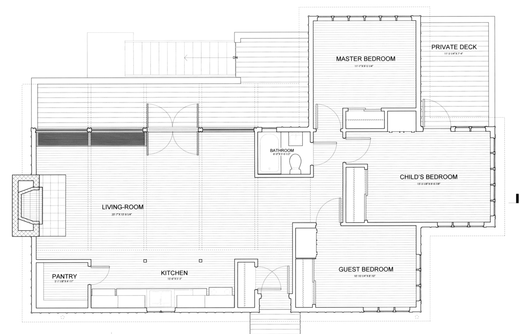
Measure lengths and areas on any floor plan so you can quote jobs and order materials, fast.
A floor plan drawing like this
not a photo of a room
Drop your floor plan here or click to browse
PDF · JPG · PNG · HEIC
Works with PDF plan sets from AutoCAD, Revit, or Chief Architect · blueprints · builder plans · CubiCasa · Matterport · iGUIDE · MLS screenshots
$9 per plan. Refund if it can't measure your plan. No signup.
8,800+ floor plans measured in 130+ countries
Try the demo!
measurefloorplan.com
Why Choose MeasureFloorPlan.com as Your Floor Plan Measuring Software?
Wall lengths, room areas, perimeter, and square footage from any floor plan, using the same exterior-perimeter method appraisers use in the field.
One wall sets the scale
You only need one known measurement. Trace that wall, enter its length, and every other dimension is calculated from that single input.
Accurate within 1-2%
For a to-scale drawing with printed dimensions, like an architect's PDF plan set or a CubiCasa export, expect results within 1-2% of a field measurement.
Works with any floor plan file
JPG, PNG, HEIC, or PDF. Builder plans, MLS screenshots, architect drawings, or a phone photo of a paper sketch.
Built for GLA
Trace the exterior perimeter of finished above-grade space, the same method licensed appraisers use for gross living area.
Free demo
Try the real tool on a sample floor plan for free. Measure your own plan for $9. No signup required, no software to install.
Saved projects that keep
Every measurement on the monthly plan includes a saved project you can re-open and re-measure free, for as long as you subscribe.
No software to install. Everything runs in your browser.
How Our Floor Plan Measurement Tool Works
Turn any floor plan image into accurate wall lengths, room areas, and square footage in three steps.
1
Upload your floor plan
Drop your floor plan into the tool or click to browse. Any JPG, PNG, HEIC, or PDF screenshot works.
2
Set the scale
Click both ends of one wall you know and enter its length. That single reference calibrates the whole plan.
3
Measure anything
Once the scale is set, the measuring workspace opens. Click two points for a wall length, trace a room for its area, or auto-detect the outline for total square footage. Every result collects in one list.
Works with PDF plan sets from AutoCAD, Revit, Chief Architect, or any architect, plus builder plans, CubiCasa, Matterport, iGUIDE, Apex Sketch, or a photo of a to-scale sketch.
Most measurements take about five minutes
Works With the Plans You Already Got
Use a PDF or image export from any of these programs, drop it in, and start measuring.
Architecture & CAD
AutoCAD
Revit
ArchiCAD
SketchUp
Vectorworks
Scans & floor plan apps
magicplan
Apex Sketch
Zillow
No Plan Measurements? No Problem.
You do not need a single number on the drawing. If the plan has one labeled wall, that sets the scale. If it has none, mark something with a standard size and the tool works out the rest.
Mark a doorway
Interior doors are about 36 inches wide in most homes. Click both sides of any door on the plan and the scale is set.
Use a bathtub or counter
A standard tub is 60 inches long and kitchen counters are 24 inches deep. Pick the object from a list and the tool fills in the size.
Or anything you know
A queen bed, a room you already measured, a garage door. Type in the real size of any one thing and every other measurement follows.
Object-based scale is approximate, usually within 5 to 10 percent. Plenty for renovation estimates, listing square footage, and quick takeoffs. When you need tighter numbers, use any dimension printed on the plan.
Works with unlabeled MLS plans, sketches, and phone photos
Perfect for Every Use Case
From appraisal GLA verification to renovation planning, one tool for every floor plan.
Real estate appraisers
Verify or recalculate GLA from scanned sketches or digital floor plans without re-drawing in sketch software.
Real estate agents
Check listing square footage before it goes live. Catch errors before the appraisal does.
Property managers
Calculate usable area from as-built drawings for lease pricing and tenant planning.
Investors
Independently verify the square footage on acquisition targets without hiring an appraiser.
Landscapers & hardscapers
Measure patios, driveways, and yard areas from a site plan or survey to quote pavers, turf, and materials.
Painting contractors
Estimate jobs from the floor plan before the site visit. Get room areas and wall lengths for accurate quotes.
Flooring & coating contractors
Take off floor area from plans to quote flooring, epoxy, and coatings without driving to the property.
Scaffolding companies
Pull building perimeter and wall lengths from a plan to lay out scaffold runs and quote by linear foot.
Works with any to-scale floor plan: architect PDFs and construction drawings, builder plans, MLS listings, CubiCasa or Matterport exports, or a phone photo of a paper sketch.
Frequently Asked Questions
Find answers to common questions about our floor plan measurement tool.
How do I measure a floor plan online?
Upload your floor plan image, set the scale by clicking both ends of a known wall length, and start measuring: click two points for a distance, trace a room for its area, or auto-detect the outline for total square footage. Lengths appear on the plan as you draw, and you can add multiple areas for multi-story homes.
What file types can I upload?
JPG, PNG, HEIC, or any image export of a PDF floor plan. As long as the floor plan is visible as an image, you can upload and trace it. PDFs are automatically rendered to an image on upload.
Who is this tool for?
Real estate appraisers verifying GLA from scanned sketches, agents checking listing square footage before it goes live, property managers calculating usable area from as-built drawings, and homeowners measuring rooms for renovation planning. Trades use it too: landscapers, painters, flooring and coating contractors, and scaffolding companies quoting jobs from site plans and floor plans.
Does it work on mobile?
The tool is optimized for desktop and laptop use. Precise point placement works best with a mouse or trackpad. It will load on a tablet but touch-based tracing on small screens is less accurate. Best results on a desktop browser.
How accurate is the measurement?
Accuracy depends on two things: the quality of your floor plan and how precisely you set the scale. For a to-scale drawing with printed dimensions, like an architect's PDF plan set or a CubiCasa, Matterport, or iGUIDE export, you can expect results within 1-2% of a field measurement. Hand-drawn or rough sketches will have more error.
Do I need to know the dimensions of every wall?
No. You only need one known measurement. Any wall where you know the real-world length. Set that as your scale reference and the tool calculates all other dimensions from that single input.
What if my floor plan is not to scale?
The tool measures what is in the image. If the floor plan is not drawn to a consistent scale. For example a rough hand sketch where proportions are eyeballed. The result will reflect those proportions, not the actual structure. For best results, use a to-scale floor plan from a scanner, professional software, or an architect drawing.
Can I use the measurement for an appraisal?
The tool measures gross living area (GLA) by tracing the exterior perimeter of finished above-grade space, the same method used in residential appraisal. You control which areas to include, so below-grade space can be measured separately.
Can I measure a multi-story home?
Yes. You can add multiple separate polygon areas. One for each floor. Each polygon is measured independently and all areas are summed in the total. Measure the main floor, upper floor, and garage separately to keep above-grade and below-grade area organized.
Can I use this for real estate appraisal?
Yes. The tool is built specifically for real estate appraisers who need to verify or recalculate GLA from floor plan sketches or scans. It is faster than manually re-sketching and provides a reliable second check. The appraiser is responsible for confirming the input floor plan is accurate and to scale.
How much does it cost?
The demo on the homepage is free: try the real tool on a sample floor plan, no account required. Measuring your own plan is $9 (measure it and export it in every format), with no signup. The $15 Day Pass covers unlimited plans for 24 hours, and the $29 monthly Pro plan covers unlimited plans with saved projects and per-room quantities. Teams of up to 3 can share one $49 monthly bill. Subscriptions cancel anytime.
Can I save or export my measurements?
Yes. Every paid plan includes its exports: download the labeled PDF (traced plan, all wall dimensions, scale reference), the takeoff PDF, and the CSV. Plans are $9 each, covered by a $15 day pass (unlimited plans for 24 hours), or unlimited on the $29 monthly plan. To save projects across devices and resume later, subscribe to a monthly plan.
Measure Your Floor Plan in Minutes
Measure lengths and areas on any floor plan so you can quote jobs and order materials, fast.